محلّك كلّه،
بين يديك.
امسح الباركود وبِع، تابع المخزون والديون والموردين، وراجع تقاريرك. تطبيق عربي واحد على الهاتف والتابلت والكمبيوتر، ويحسب بالدينار العراقي.
- جرّبه ببيانات تجريبية في وضع الضيف
- يعمل مع قارئ الباركود
- بدون إعلانات أو تتبّع
كل ما يدور في المحل، بمكان واحد
الباركود و QR
امسح لتبيع، واطبع ملصقات موادك.
هاتف، تابلت، كمبيوتر
شاشة تناسب كل جهاز، والبيانات واحدة.
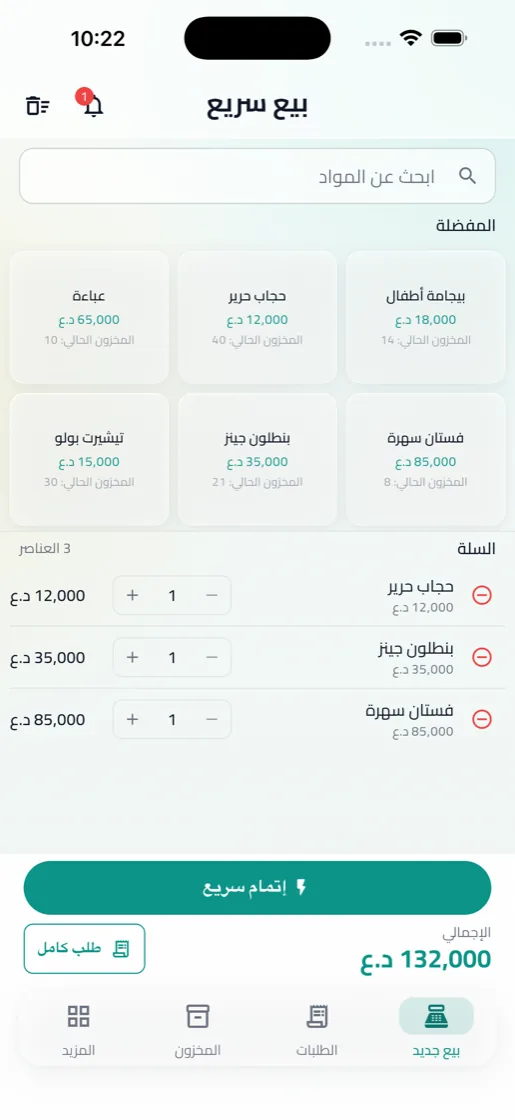
بيع سريع
ابحث عن المادة، أضفها للسلة، وأنهِ البيع بثوانٍ.
الطلبات والفواتير
مفرد أو جملة، نقد أو آجل أو دفعة جزئية.
المخزون والمواد
قياسات وألوان، وتنبيه قبل النفاد وقرب انتهاء الصلاحية.
ديون المشترين
من دفع، وكم بقي عليه، ومتى سدّد آخر مرة.
الموردون والشحنات
كل شحنة برصيدها، وكل دفعة مسجّلة.
المصاريف والصندوق
مصاريف وأجور تتكرر شهرياً، وسحوبات وصندوق.
التقارير
مبيعات، أرباح، مخزون وديون، مع تصدير PDF و Excel.
الصلاحيات والسجل
كل دور يرى ما يخصّه، وكل عملية مسجّلة.
امسح لتبيع، واطبع ملصقاتك بنفسك
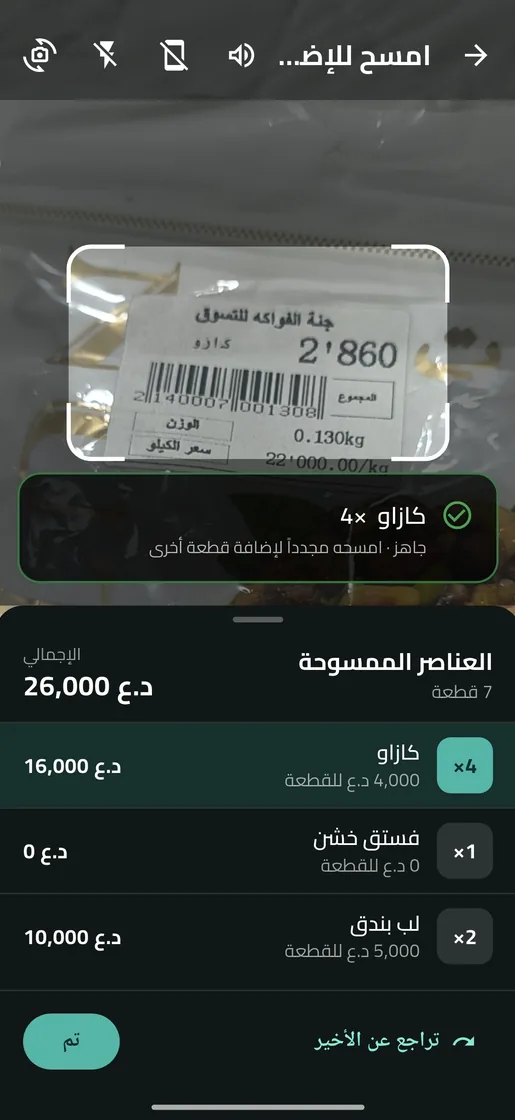
وجّه الكاميرا أو قارئ الباركود نحو المادة، وتدخل السلة فوراً. المسح المتكرر يزيد الكمية، تماماً كأجهزة الكاشير.
- باركود المادة الأصلي، أو رمز يولّده التطبيق لمحلك.
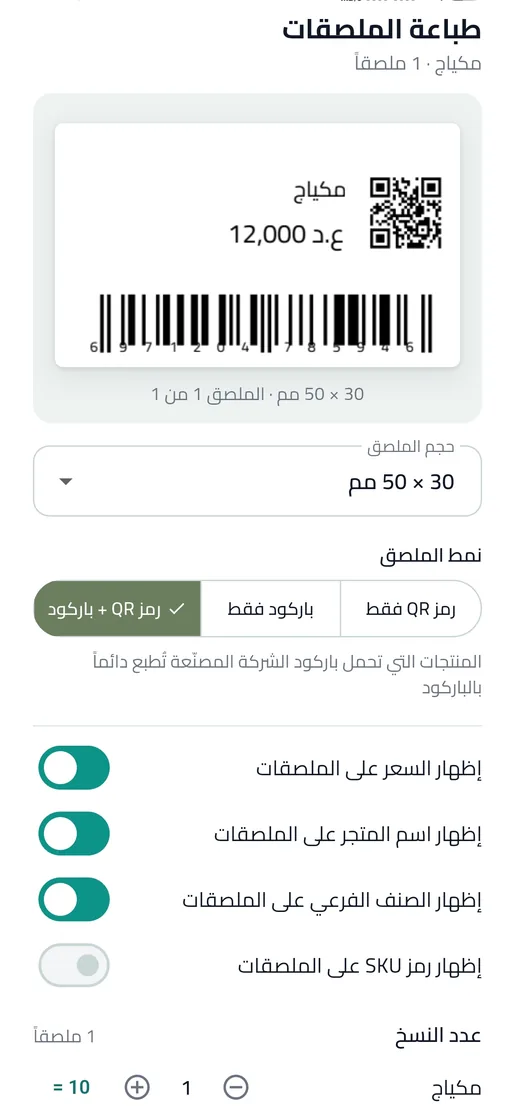
- ملصقات QR أو باركود أو كلاهما، بمقاس 50 × 30 مم ومقاسات أخرى، أو على ورقة A4.
- كود غير معروف؟ اربطه بمادة من الكاونتر دون أن تترك البيع.
- امسح الفاتورة لتفتح طلبها مباشرة.
من جيبك إلى الكاونتر
المحل نفسه والبيانات نفسها على الهاتف والتابلت والكمبيوتر. والشاشة تترتّب حسب حجمها: كلما اتسعت، رأيت أكثر في نظرة واحدة.
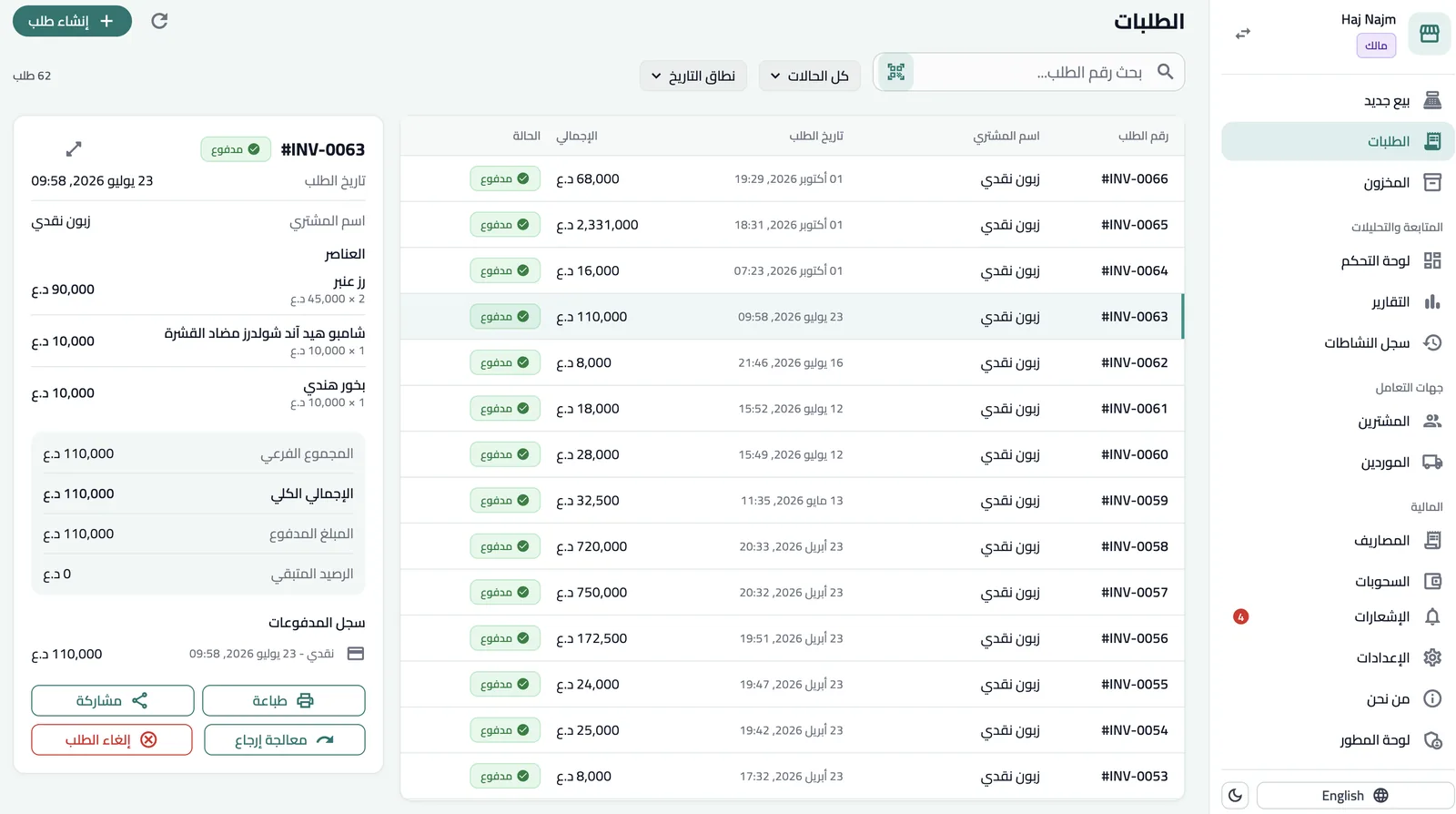
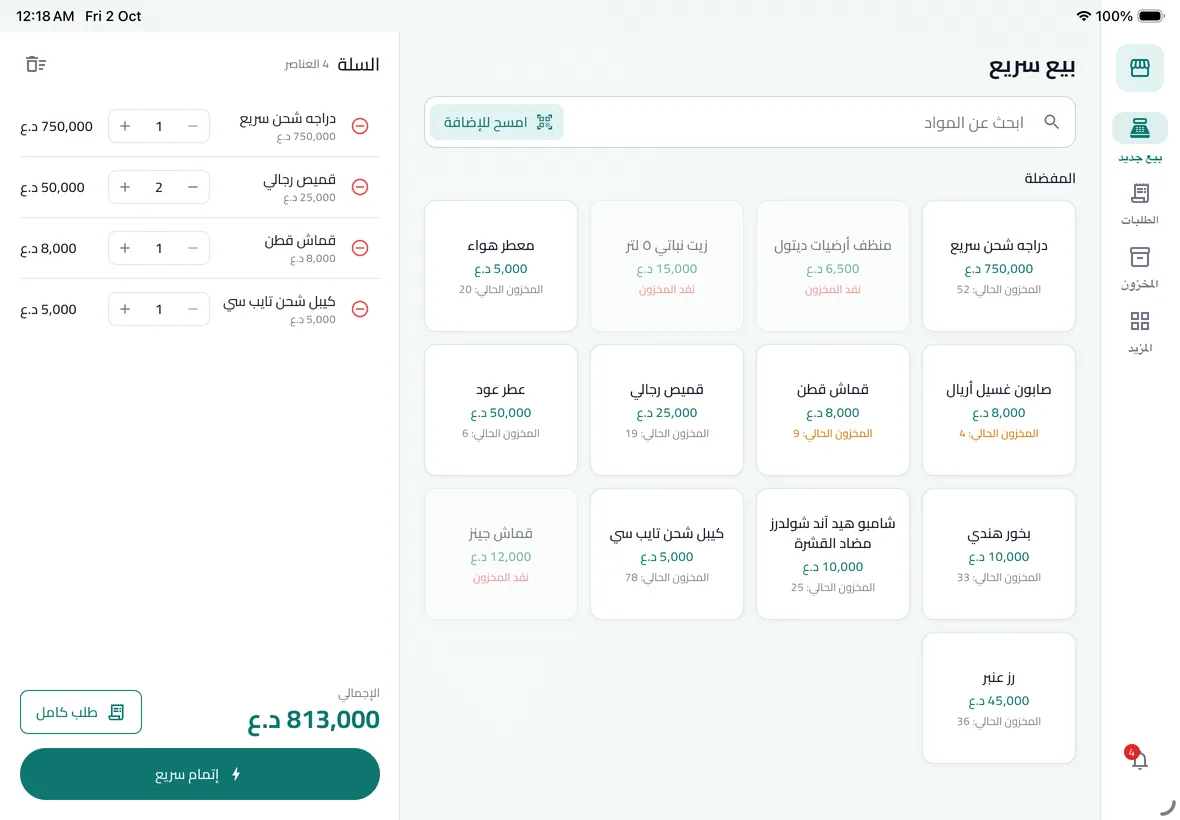
اكتب الآلاف، والتطبيق يكمل الأصفار
اكتب 625 فقط ليصبح السعر 625,000 دينار عراقي. وإن احتجت 17,750 غيّر الخانة الصغيرة إلى 750. خانة واحدة تختصر أكثر أخطاء كتابة المبالغ الكبيرة، وتعمل في كل حقل سعر أو مبلغ في التطبيق.
لكل شخص في المحل دوره
أضف موظفيك بحسابات خاصة. كل دور يرى ويعدّل ما يناسبه فقط، والسجل يحفظ من فعل ماذا ومتى.
- المالك
صلاحية كاملة: الإعدادات، الفريق، التقارير والسجل.
- المدير
المخزون والموردون والمصاريف والتقارير وإدارة الموظفين.
- الكاشير
البيع والمسح وتسجيل الدفعات، والمخزون للعرض فقط.
- المشاهد
يطّلع على المخزون والطلبات والتقارير دون أي تعديل.
شاشات حقيقية، لا تصاميم تخيّلية
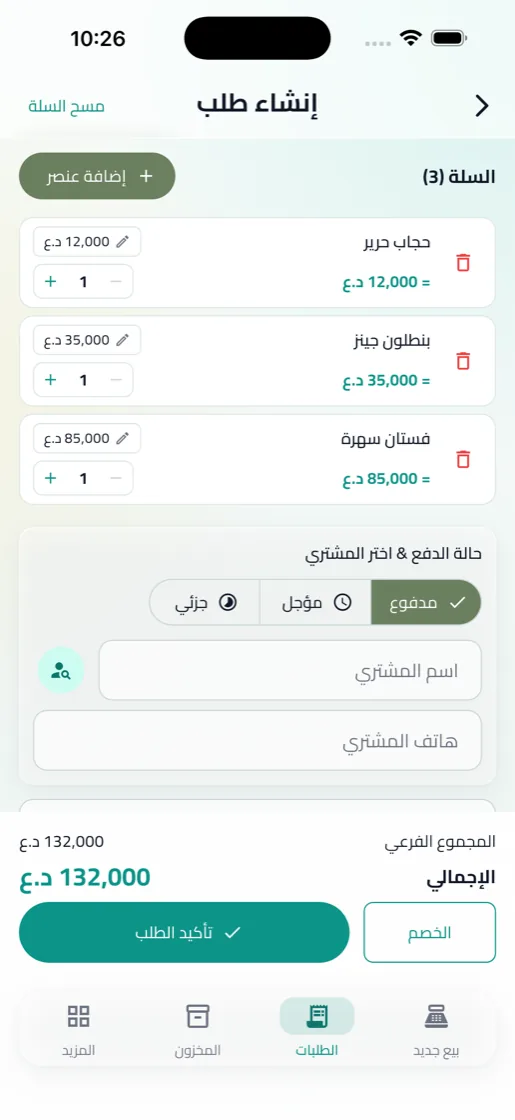
إنشاء طلب
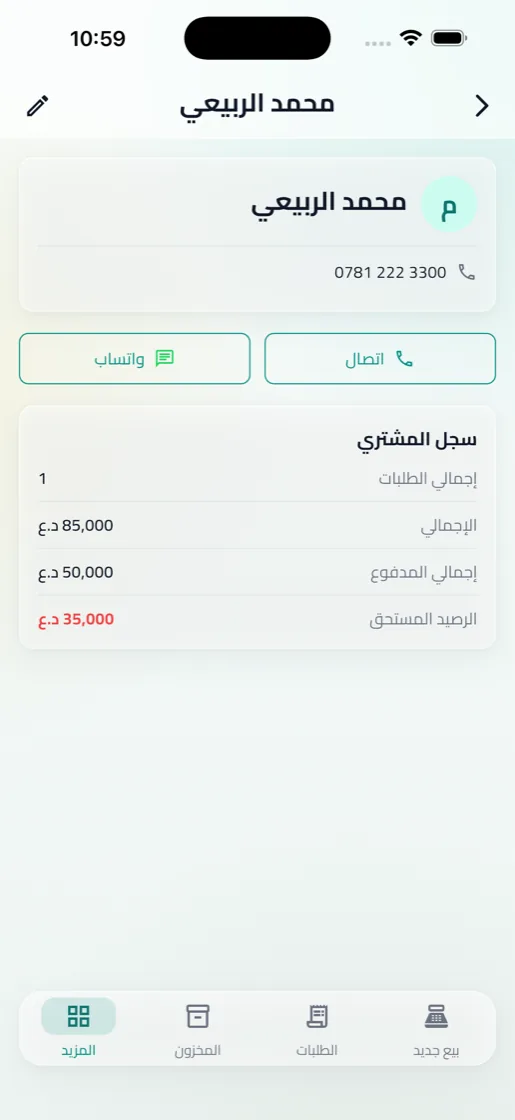
ديون المشترين
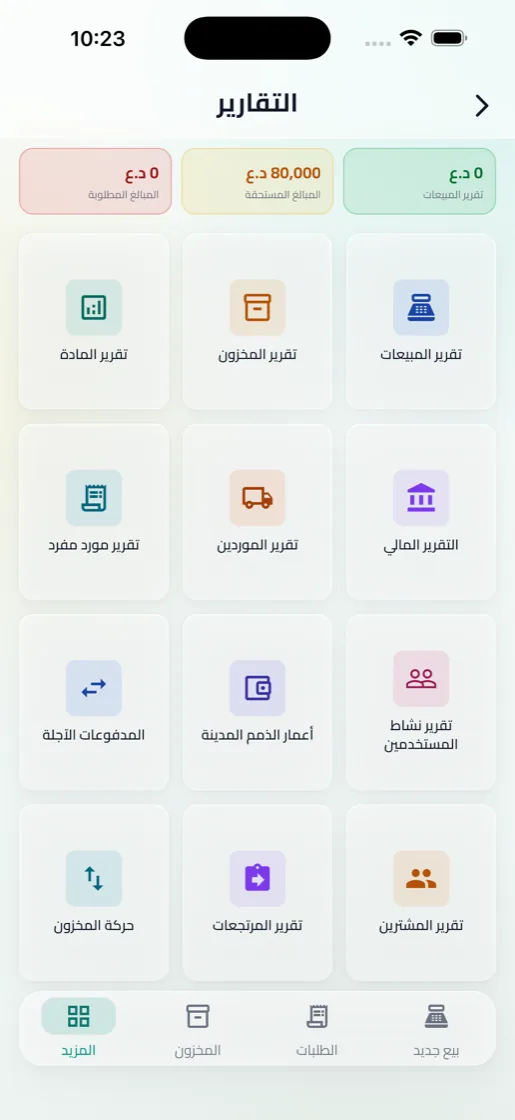
التقارير
بيانات محلك لمحلك فقط
- لا إعلانات ولا أدوات تتبّع داخل التطبيق.
- بيانات كل محل معزولة عن المحلات الأخرى.
- المسح بالكاميرا يتم على جهازك، ولا تُحفظ الصور.
- حذف الحساب متاح من داخل التطبيق في أي وقت.
جهّز كاونترك
- قارئ باركود سلكي أو بلوتوث، أو كاميرا الجهاز.
- طابعة ملصقات لباركود و QR موادك.
- طابعة إيصالات حرارية، أو فواتير A4.
- تابلت أو كمبيوتر بشاشة واسعة للكاشير.
جرّب التطبيق قبل أن تقرر
ادخل التطبيق كضيف لتتجوّل في محل تجريبي ببيانات كاملة. لا يُحفظ شيء على جهازك.
Your whole shop,
in your hands.
Scan a barcode and sell, keep track of stock, debts and suppliers, and read your reports. One app on phone, tablet and computer, counted in Iraqi Dinar.
- Try it with sample data in guest mode
- Works with barcode scanners
- No ads or tracking
Everything a shop runs on, in one place
Barcodes & QR
Scan to sell, and print labels for your materials.
Phone, tablet, computer
A layout for every screen, one set of data.
Quick Sale
Find a material, add it to the cart, done in seconds.
Orders & invoices
Retail or wholesale, cash, deferred or part-paid.
Inventory
Sizes and colours, with alerts before stock runs out or expires.
Buyer debts
Who paid, what is still owed, and when they last paid.
Suppliers & shipments
Every shipment with its balance, every payment recorded.
Expenses & cash
Monthly costs and wages, withdrawals and the till.
Reports
Sales, profit, stock and debts, exported to PDF or Excel.
Roles & activity log
Each role sees its own part, and every action is logged.
Scan to sell, and print your own labels
Point the camera or a barcode scanner at a material and it lands in the cart. Scan it again to add one more, just like a checkout scanner.
- The material's own barcode, or a code the app generates for your shop.
- QR, barcode or both on 50 × 30 mm labels, other sizes, or A4 sticker sheets.
- Unknown code? Link it to a material without leaving the sale.
- Scan an invoice to open its order.
From your pocket to the counter
The same shop and the same data on phone, tablet and computer. The layout follows the screen: the wider it is, the more you see at once.
Type the thousands, the app adds the zeros
Type 625 and the price is 625,000 Iraqi Dinar. Need 17,750? Change the small box to 750. One field that removes the most common mistake with large amounts, in every price and amount field in the app.
Everyone in the shop has their role
Give each staff member their own account. Each role sees and changes only what it should, and the log keeps who did what, and when.
- Owner
Full access: settings, team, reports and the log.
- Manager
Inventory, suppliers, expenses, reports and staff.
- Cashier
Selling, scanning and payments; inventory is view-only.
- Viewer
Sees inventory, orders and reports without changing anything.
Real screens, not mock-ups
Create order
Buyer debts
Reports
Your shop's data stays your shop's
- No ads or tracking tools in the app.
- Each shop's data is isolated from every other shop.
- Camera scanning happens on your device; no images are saved.
- Delete your account from inside the app at any time.
Set up your counter
- A barcode scanner, wired or Bluetooth, or the device camera.
- A label printer for your barcodes and QR codes.
- A receipt printer, thermal, or A4 invoices.
- A tablet or computer with a wide screen for the cashier.
Try it before you decide
Enter the app as a guest to explore a sample shop with full data. Nothing is stored on your device.