
كل أدوات المحل، بالتفصيل
من أول بيعة في الصباح إلى تقرير آخر الشهر، على الهاتف والتابلت والكمبيوتر. هذا ما يفعله التطبيق، قسماً قسماً.
الباركود و QR والملصقات
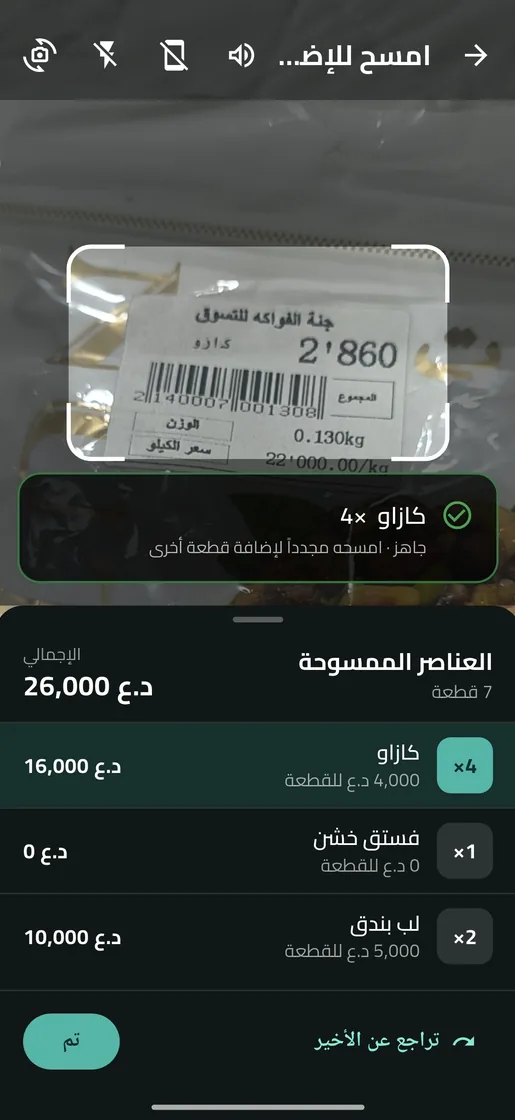
من رمز المادة إلى السلة بمسحة واحدة، بالكاميرا أو بقارئ الباركود.
- امسح لتبيع: كل مسحة تضيف المادة للسلة، والمسح المتكرر يزيد الكمية، مع صوت واهتزاز تأكيد يمكنك كتمه.
- قارئ باركود: اربط قارئاً سلكياً أو بلوتوث وامسح دون لمس الشاشة.
- رمز لكل مادة: سجّل باركود المصنّع، أو دع التطبيق يولّد رمزاً خاصاً بمحلك. ولكل قياس ولون رمزه.
- ملصقات: QR أو باركود أو كلاهما، بمقاسات 50 × 30 و 40 × 30 مم وغيرها، أو أوراق ملصقات A4. اطبع أو شارك.
- كود غير معروف: اربطه بمادة موجودة أو أنشئ مادة جديدة من الكاونتر.
- QR على الفاتورة: امسحه من قائمة الطلبات لتفتح الطلب.
على التابلت والكمبيوتر
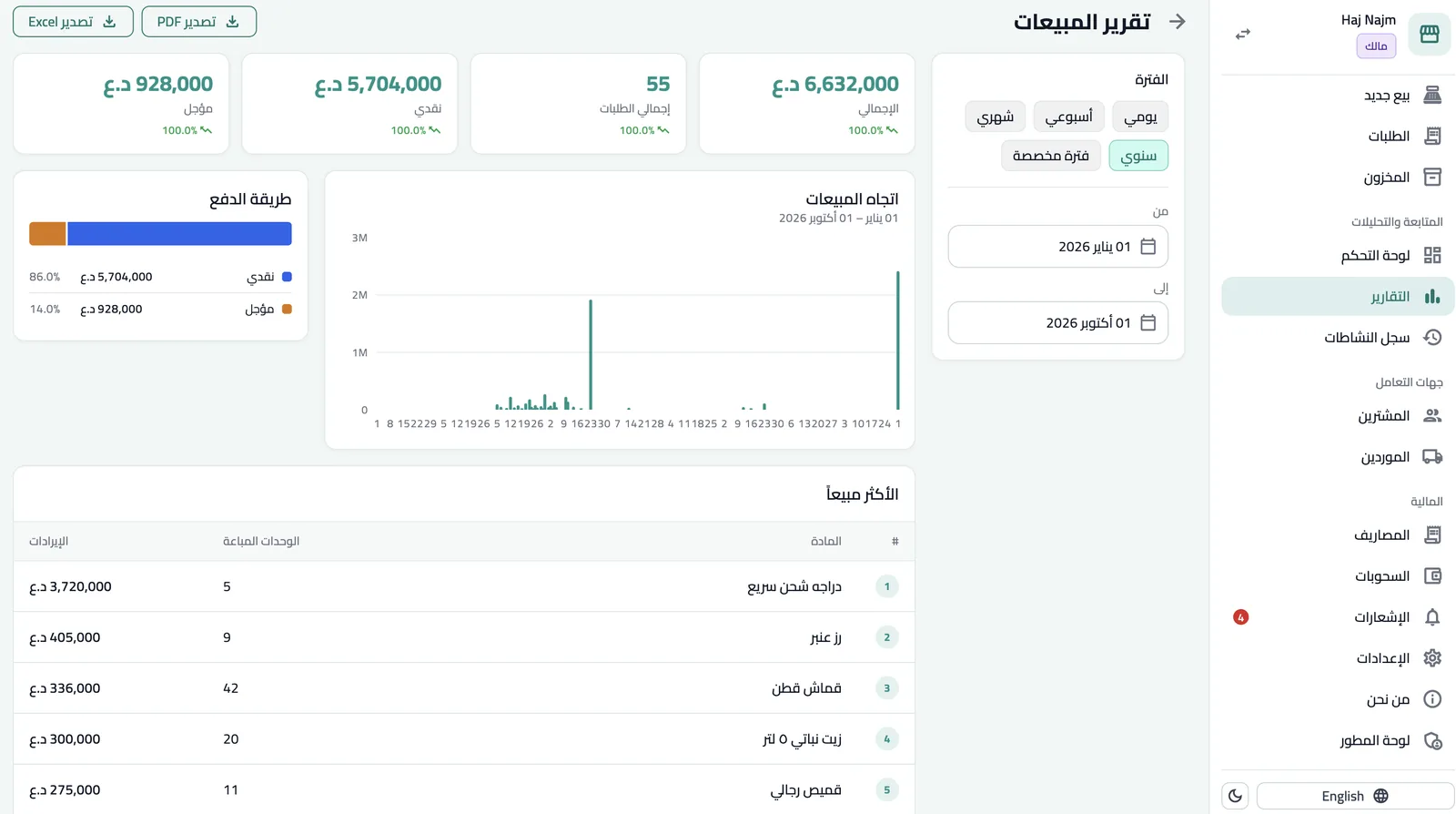
الشاشة تترتّب حسب عرض النافذة لا نوع الجهاز. على الشاشة الواسعة ترى القائمة والتفاصيل معاً، والسلة ثابتة بجانب المواد، والتقارير بمساحة كاملة.
قائمة وتفاصيل
الطلبات والمخزون والمشترين والموردين: اختر من القائمة وتظهر التفاصيل بجانبها.
بيع بشاشة كاملة
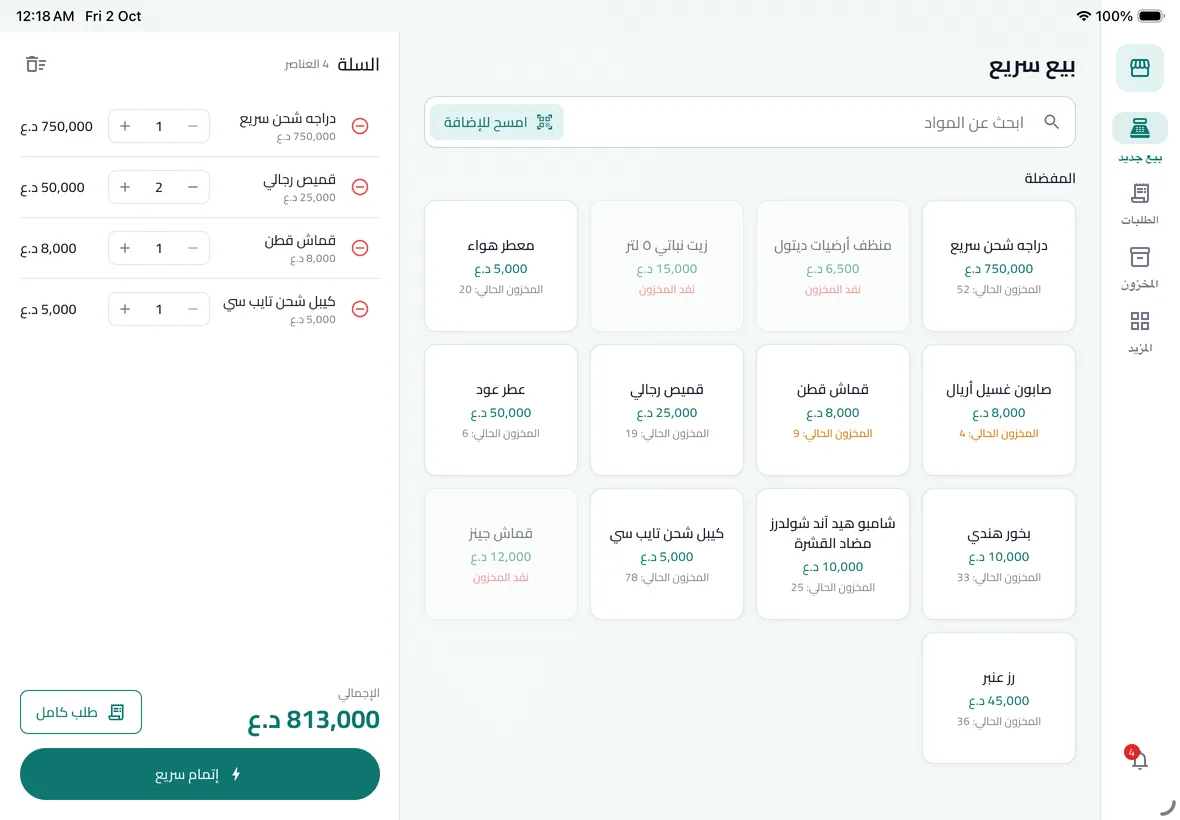
شبكة المواد على جهة، والسلة وزر الدفع ثابتان على الجهة الأخرى.
نماذج مع معاينة
إعدادات الفاتورة والمحل مع معاينة حيّة بجانب النموذج.
تقارير واسعة
الفلاتر في عمود، والأرقام والرسوم والجداول بجانبها.
البيع والطلبات
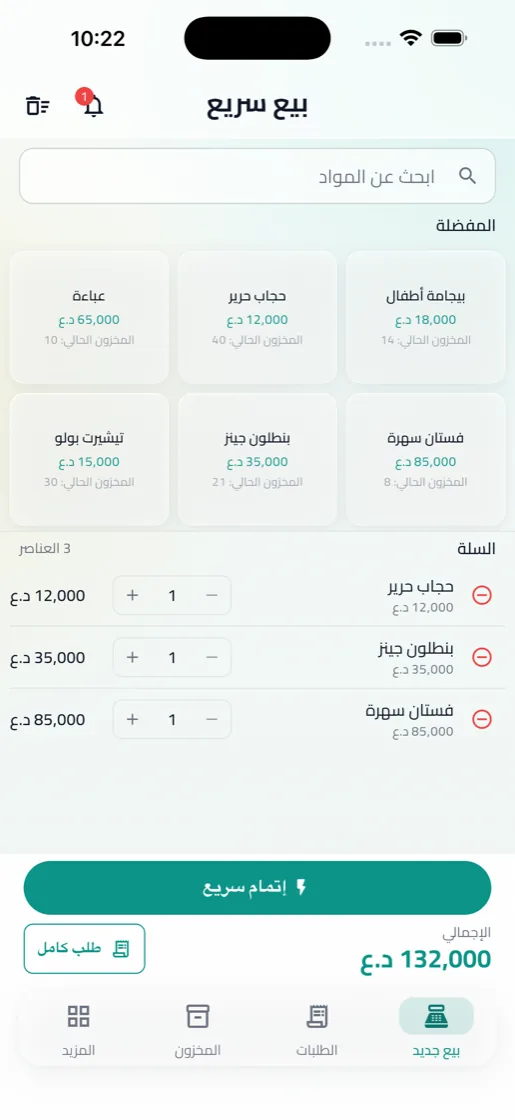
شاشة بيع سريع للكاونتر المزدحم، وطلب كامل حين تحتاج التفاصيل.
- بيع سريع: امسح المادة، أو ابحث عنها، أو اخترها من المفضلة، والسلة تحسب الإجمالي فوراً.
- مفرد أو جملة: لكل طلب نوعه، ولكل نوع سعره.
- طريقة الدفع: نقد، أو آجل، أو دفعة جزئية والباقي يُسجَّل ديناً على المشتري.
- الإلغاء والإرجاع: ألغِ طلباً أو أرجع مواد منه، مع تأكيد قبل كل عملية حساسة.
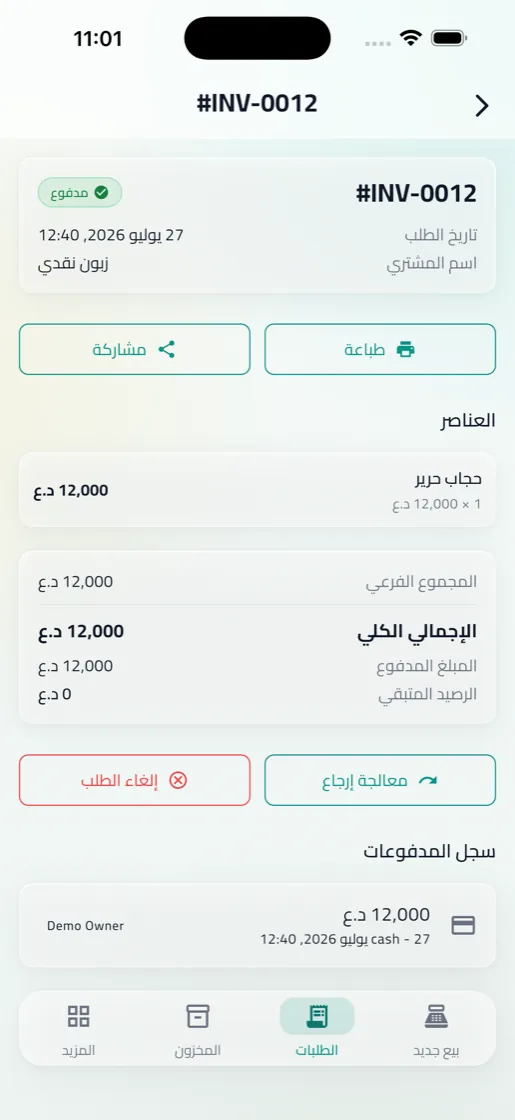
الفواتير والطباعة
فاتورة باسم محلك وشعاره، بالشكل واللغة التي تريدها.
- قوالب A4 للفواتير الكاملة، وإيصال حراري للطابعات الصغيرة.
- بيانات المحل على كل فاتورة: الشعار، الأرقام، العنوان، وترقيم تلقائي ببادئة تختارها، ورمز QR للطلب.
- لغة الفاتورة مستقلة: التطبيق بالإنجليزية والفاتورة بالعربية، أو العكس.
- اطبع أو شارك: طباعة مباشرة، أو PDF عبر واتساب وتيليغرام وغيرها.
المخزون والمواد
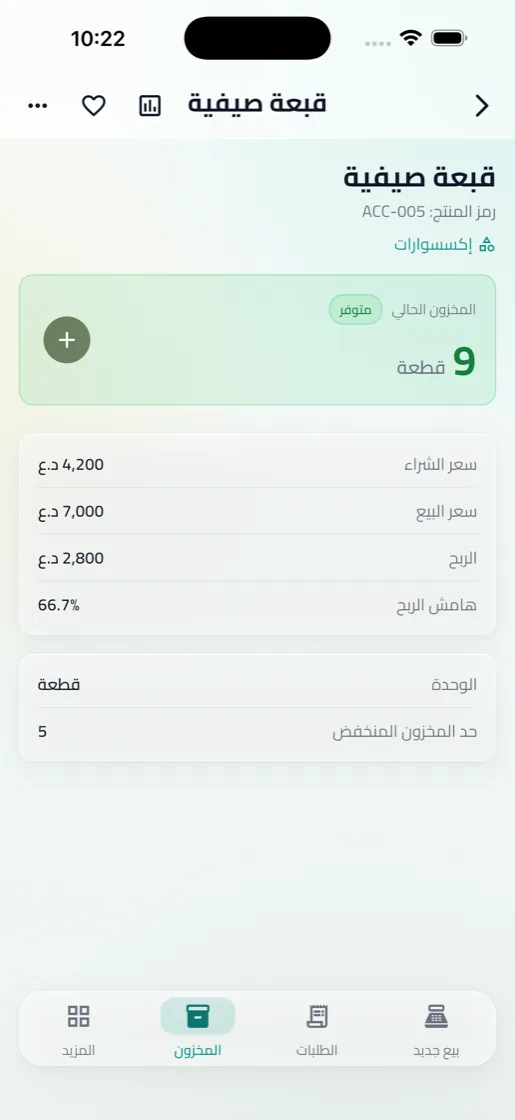
اعرف ما عندك، وكم كلّفك، ومتى تحتاج تطلب من جديد.
- مواد بقياسات وألوان مرتّبة في أقسام، مع المفضلة للمواد الأكثر بيعاً.
- سعر الشراء والبيع وهامش الربح ظاهرة في تفاصيل كل مادة.
- الشحنات والتعديلات: سجّل البضاعة الواردة من المورد، وصحّح الكميات عند الجرد.
- تنبيهات عند انخفاض الكمية وقبل انتهاء الصلاحية.
المشترين والديون
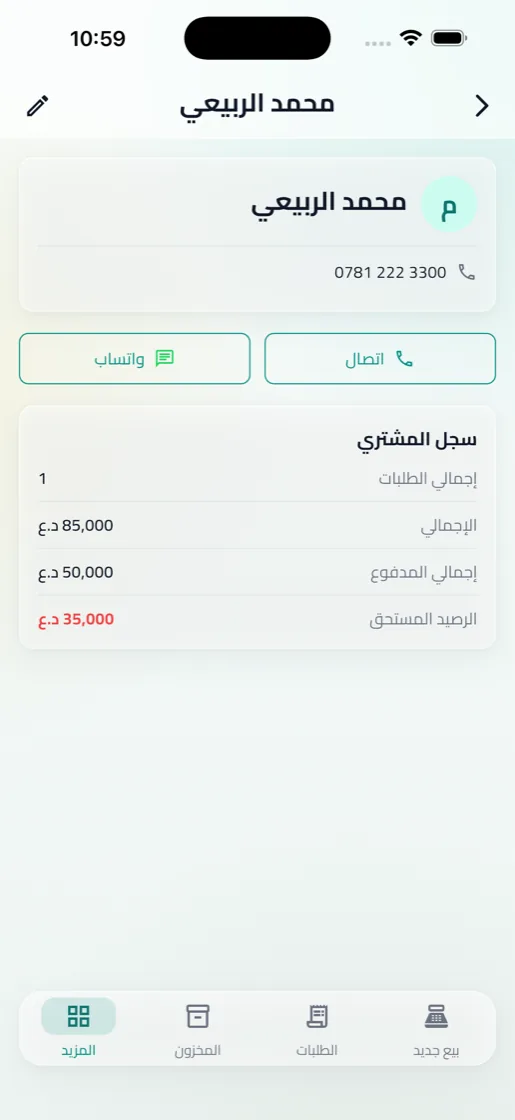
دفتر الديون، لكن مرتّب ولا يضيع.
- ملف لكل مشترٍ برصيده المستحق وكل طلباته ودفعاته.
- سجّل الدفعات كاملة أو جزئية، والرصيد يتحدّث تلقائياً.
- اتصل أو راسل المشتري من داخل ملفه مباشرة.
الموردون والشحنات
- ملف لكل مورد بأرقامه وعنوانه.
- كل شحنة برقمها ورصيدها المستحق.
- دفعات المورد، وكم بقي له عليك.
المصاريف والصندوق
- مصاريف بمجموعات، ومنها ما يتكرر شهرياً كالإيجار.
- أجور العمال ضمن المصاريف.
- سحوبات من الصندوق، مع تأكيد قبل كل سحب.
التقارير
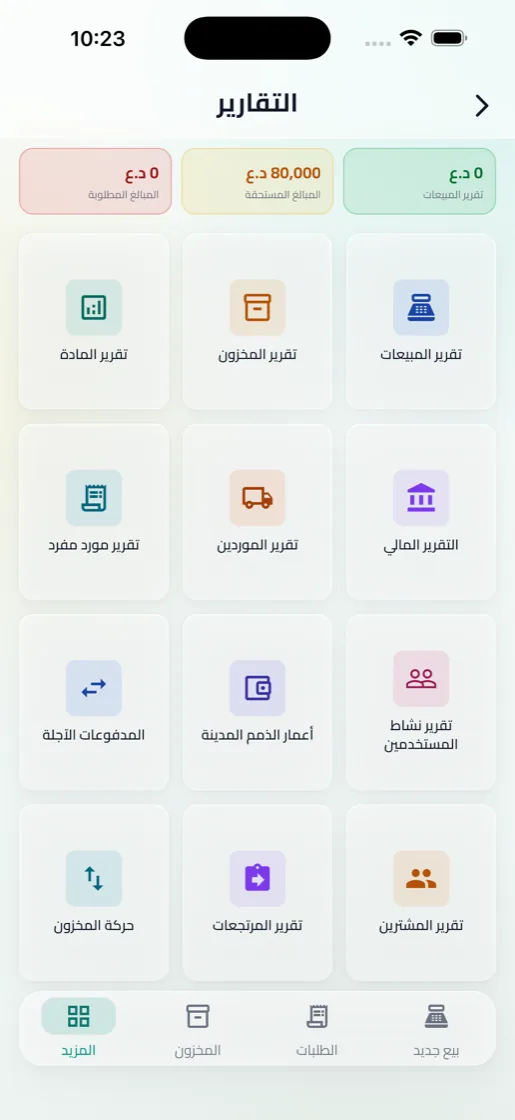
اختر الفترة، وشاهد أين يذهب المال ومن أين يأتي.
- المبيعات
- الأرباح والمصاريف
- المخزون وحركة المواد
- الديون والمدفوعات الآجلة
- المرتجعات
- الموردون
- نشاط المستخدمين
- موقف الصندوق
كل تقرير يُصدَّر PDF أو Excel، أو يُطبع مباشرة.
الفريق والصلاحيات
أربعة أدوار جاهزة. لا كلمات سر إضافية لكل عملية، بل تأكيد واضح قبل الحذف والسحب وتغيير الأسعار، وسجل يحفظ من فعل ماذا.
| الصلاحية | المالك | المدير | الكاشير | المشاهد |
|---|---|---|---|---|
| البيع وإنشاء الطلبات | ✓ | ✓ | ✓ | — |
| تسجيل دفعات المشترين | ✓ | ✓ | ✓ | — |
| المسح لفتح مادة | ✓ | ✓ | ✓ | ✓ |
| إضافة المواد وتغيير الأسعار | ✓ | ✓ | — | — |
| رموز المواد وطباعة الملصقات | ✓ | ✓ | — | — |
| الموردون والشحنات | ✓ | ✓ | — | — |
| المصاريف والسحوبات والصندوق | ✓ | ✓ | — | — |
| عرض التقارير وتصديرها | ✓ | ✓ | — | ✓ |
| إدارة الموظفين | ✓ | ✓ | — | — |
| حذف المحل | ✓ | — | — | — |
اللغة والأجهزة والمحلات
عربي وإنجليزي
واجهة كاملة من اليمين لليسار، وتبديل اللغة بلمسة.
أكثر من جهاز
الفريق كله على نفس البيانات، والتنبيهات تصل لحظياً.
أكثر من محل
حساب واحد لعدة محلات، وبيانات كل محل منفصلة تماماً.
Every shop tool, in detail
From the first sale of the morning to the month-end report, on phone, tablet and computer. Here is what the app does, section by section.
Barcodes, QR and labels
From a material's code to the cart in one scan, with the camera or a barcode scanner.
- Scan to sell: every scan adds the material to the cart and repeat scans raise the quantity, with a confirmation sound and vibration you can mute.
- Barcode scanners: connect a wired or Bluetooth scanner and scan without touching the screen.
- A code for every material: record the manufacturer's barcode or let the app generate one for your shop, with a separate code for each size and colour.
- Labels: QR, barcode or both, on 50 × 30 and 40 × 30 mm rolls and more, or A4 sticker sheets. Print or share.
- Unknown codes: link them to an existing material or create a new one right at the counter.
- QR on invoices: scan it from the orders list to open the order.
On tablet and computer
The layout follows the window's width, not the device type. On a wide screen you see the list and the details together, the cart stays beside the products, and reports get the full width.
List and details
Orders, inventory, buyers and suppliers: pick from the list and the details open beside it.
Full-screen selling
The product grid on one side, the cart and checkout fixed on the other.
Forms with a preview
Invoice and shop settings with a live preview beside the form.
Wide reports
Filters in a column, with figures, charts and tables beside them.
Selling and orders
Quick Sale for a busy counter, and a full order when you need the details.
- Quick Sale: scan a material, search for it or pick it from favourites, and the cart totals instantly.
- Retail or wholesale: each order has its type, and each type its price.
- Payment: cash, deferred, or part-paid with the rest recorded as the buyer's debt.
- Cancel and return: cancel an order or return items from it, with a confirmation before every sensitive step.
Invoices and printing
Invoices in your shop's name and logo, in the layout and language you choose.
- A4 templates for full invoices, and a thermal receipt for small printers.
- Your shop's details on every invoice: logo, phone numbers, address, automatic numbering with your own prefix, and an order QR code.
- Invoice language is separate: the app in English and invoices in Arabic, or the other way round.
- Print or share: print directly, or send a PDF over WhatsApp, Telegram and more.
Inventory and materials
Know what you have, what it cost, and when to reorder.
- Materials with sizes and colours, sorted into categories, with favourites for your best sellers.
- Buying price, selling price and margin on every material's page.
- Shipments and adjustments: record stock arriving from suppliers, and correct quantities after a stock count.
- Alerts when stock runs low and before items expire.
Buyers and debts
The debt notebook, tidy and impossible to lose.
- A profile for every buyer with the balance owed and all their orders and payments.
- Record payments, full or partial, and the balance updates itself.
- Call or message a buyer straight from their profile.
Suppliers and shipments
- A profile for every supplier with phone numbers and address.
- Every shipment with its number and balance due.
- Supplier payments, and what you still owe.
Expenses and cash
- Expenses in groups, including monthly ones like rent.
- Workers' wages as part of expenses.
- Withdrawals from the till, confirmed before each one.
Reports
Pick a period and see where the money goes and where it comes from.
- Sales
- Profit and expenses
- Stock and movement
- Debts and deferred payments
- Returns
- Suppliers
- User activity
- Cash position
Every report exports to PDF or Excel, or prints directly.
Team and permissions
Four ready-made roles. No extra passwords for every action, just a clear confirmation before deleting, withdrawing or changing prices, and a log of who did what.
| Permission | Owner | Manager | Cashier | Viewer |
|---|---|---|---|---|
| Sell and create orders | ✓ | ✓ | ✓ | — |
| Record buyer payments | ✓ | ✓ | ✓ | — |
| Scan to open a material | ✓ | ✓ | ✓ | ✓ |
| Add materials and change prices | ✓ | ✓ | — | — |
| Material codes and label printing | ✓ | ✓ | — | — |
| Suppliers and shipments | ✓ | ✓ | — | — |
| Expenses, withdrawals and the till | ✓ | ✓ | — | — |
| View and export reports | ✓ | ✓ | — | ✓ |
| Manage staff | ✓ | ✓ | — | — |
| Delete the shop | ✓ | — | — | — |
Language, devices and shops
Arabic and English
A complete right-to-left interface, and switching language takes one tap.
Many devices
The whole team on the same data, with alerts arriving instantly.
Many shops
One account for several shops, each shop's data fully separate.